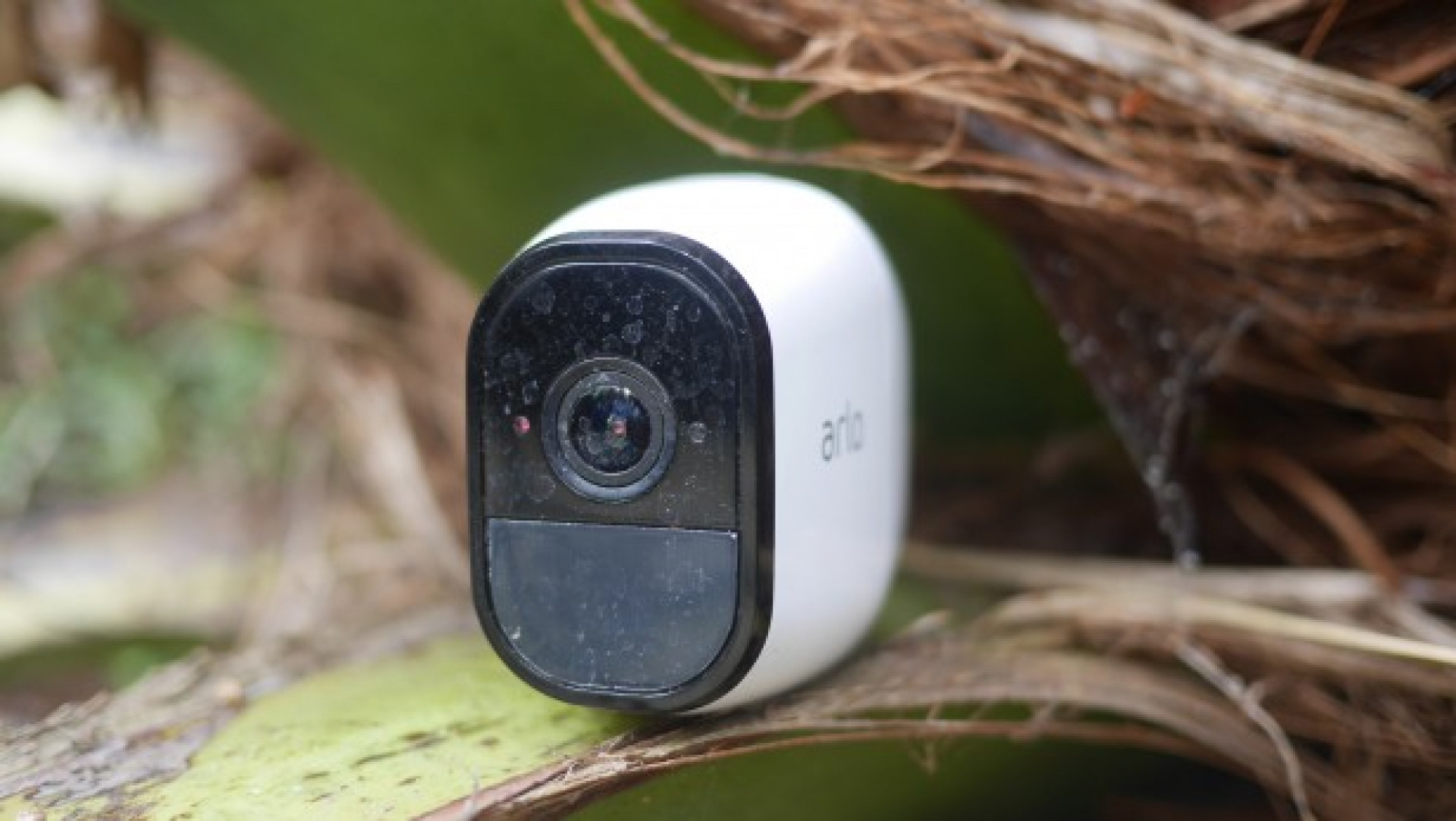
April 2021 note: from the time I wrote this article, the Arlo API has evolved. Thus, some cURL calls may not work anymore or require some changes. For example the new authentication endpoint is now https://ocapi-app.arlo.com/api/auth
I’ve been poking around in the Netgear Arlo Camera System API. The API is not public, so no official documentation is available. However, by sniffing the network traffic processed by the official web application, I succeeded in spotting some of the calls required to get information and perform operations. As far as I learnt, this system does not use simple Rest API, but also the EventStream browser interface to perform pub/sub style messaging. Anyway, I will try to document the API methods one by one.
I report the cURL commands required to perform the operation. As an alternative you could also use Postman chrome app or similar.
Authentication
Every method used by the API, requires to send an authentication token in the requests header, so before issuing any request, authentication must be performed in order to acquire this token. Authentication requires username and password pair specified in the json body of the authentication request.
1$ curl -H "Content-Type: application/json;charset=UTF-8" -d '{"email":"YOUR_EMAIL","password":"YOUR_PASSWORD"}' -X POST "https://arlo.netgear.com/hmsweb/login/v2"
The method returns a similar Json document:
 1{
 2    "data": {
 3        "userId": "YOUR_USER_ID",
 4        "email": "YOUR_EMAIL",
 5        "token": "YOUR_TOKEN",
 6        "paymentId": "YOUR_PAYMENT_ID",
 7        "authenticated": 1504597425,
 8        "accountStatus": "registered",
 9        "serialNumber": "YOUR_SERIAL_NUMBER",
10        "countryCode": "IT",
11        "tocUpdate": false,
12        "policyUpdate": false,
13        "validEmail": true,
14        "arlo": true,
15        "dateCreated": 1477059159622
16    },
17    "success": true
18}
Get Profile
Method to acquire user profile
1$ curl -H "Authorization: YOUR_TOKEN" -X GET "https://arlo.netgear.com/hmsweb/users/profile"
The method returns a similar Json document:
 1{
 2    "data": {
 3        "_type": "User",
 4        "firstName": "Roberto",
 5        "lastName": "Gallea",
 6        "language": "it",
 7        "country": "IT",
 8        "acceptedPolicy": 1,
 9        "currentPolicy": 1,
10        "validEmail": true
11    },
12    "success": true
13}
Get Session
Method to acquire user session
1$ curl -H "Authorization: YOUR_TOKEN" -X GET "https://arlo.netgear.com/hmsweb/users/session"
The method returns a similar Json document:
 1{
 2    "data": {
 3        "userId": "8C9D-210-6687469",
 4        "email": "YOUR_EMAIL",
 5        "token": "YOUR_TOKEN",
 6        "paymentId": "28937399",
 7        "accountStatus": "registered",
 8        "serialNumber": "78E46573A0B8B",
 9        "countryCode": "IT",
10        "tocUpdate": false,
11        "policyUpdate": false,
12        "validEmail": true,
13        "arlo": true,
14        "dateCreated": 1477059159622
15    },
16    "success": true
17}
Get Friends
Method to acquire user friends
1$ curl -H "Authorization: YOUR_TOKEN" -X GET "https://arlo.netgear.com/hmsweb/users/friends"
The method returns a similar Json document:
 1{
 2    "data": [
 3        {
 4            "createdDate": 1477120416475,
 5            "firstName": "FRIEND FIRST NAME",
 6            "lastName": "FRIEND LAS NAME",
 7            "devices": [
 8                {
 9                    "deviceId": "48B5647F83E96",
10                    "modifiedDate": 1483531429960,
11                    "deviceName": "Piano terra",
12                    "uniqueId": "3AB3-210-6687469_48B5647F83E96"
13                }
14            ],
15            "lastModified": 1477120416475,
16            "status": "ACCEPTED",
17            "adminUser": true,
18            "email": "friendemail@gmail.com",
19            "id": "4SD7-210-6726575"
20        }
21    ],
22    "success": true
23}
Get User locations
Method to acquire user locations
1$ curl -H "Authorization: YOUR_TOKEN" -X GET "https://arlo.netgear.com/hmsweb/users/locations"
The method returns a similar Json document, note that you could retrieve the name of the home and away mode
 1{
 2    "data": [
 3        {
 4            "id": "1DC2-210-6687469_20161048595017",
 5            "name": "Casa",
 6            "ownerId": "4DC8-210-6687469",
 7            "longitude": 52.2229775,
 8            "latitude": 12.1709085,
 9            "address": "Your Address",
10            "homeMode": "mode0",
11            "awayMode": "mode1",
12            "geoEnabled": false,
13            "geoRadius": 250,
14            "uniqueIds": [
15                "3AB3-210-6687469_48E46573A0B8B"
16            ],
17            "smartDevices": [
18                "598d8273"
19            ],
20            "pushNotifyDevices": [
21                "598d8273"
22            ]
23        }
24    ],
25    "success": true
26}
Get Service Level
Arlo API provides a method to acquire information about current user subscription, including subscription type, (such as Basic; Premiere or Elite), number of allowed devices, storage limits, etc. This call is performed as follows:
1$ curl -H "Authorization: YOUR_TOKEN" -X GET "https://arlo.netgear.com/hmsweb/users/serviceLevel/v2"
The method returns a similar Json document:
 1{
 2    "data": {
 3        "plans": [
 4            {
 5                "planId": "12345678",
 6                "planName": "Basic",
 7                "planType": "BASIC",
 8                "maxBaseStations": -1,
 9                "maxCameras": 5,
10                "numPushNotify": -1,
11                "maxSmartHomeModes": -1,
12                "maxAccounts": -1,
13                "maxStorage": -1,
14                "groupNumber": 0,
15                "groupName": "Basic",
16                "createdDate": 1477059164333,
17                "lastModified": 1477059164333,
18                "expiryDate": null,
19                "daysLeftForExpiry": null,
20                "billingDate": null,
21                "term": 12,
22                "planAmount": 0,
23                "plansTotalCurrencyAmount": "€0.00/Ann.",
24                "planCurrencyAmount": "€0.00",
25                "planUpgradeable": true,
26                "userPreferences": {
27                    "storage": {
28                        "enabled": true,
29                        "autoDelete": false
30                    },
31                    "alerts": {
32                        "storageAlert": false,
33                        "lowBatteryAlert": true,
34                        "pushNotificationAlert": true,
35                        "pushNotificationCount": -1
36                    }
37                },
38                "libraryAccessExpiry": 7,
39                "cvrAccessExpiry": 7,
40                "sharing": true,
41                "schedule": true,
42                "sharingExpiry": -1,
43                "scheduleExpiry": -1,
44                "display": "DISPONIBILI",
45                "isBusiness": null,
46                "planCapacity": null
47            }
48        ],
49        "discovery": {}
50    },
51    "success": true
52}
Get Devices
Arlo API provides a method to acquire information about available devices, information is returned as an array of Json objects including both cameras and basestation, along with any other existing devices:
1$ curl -H "Authorization: YOUR_TOKEN" -X GET "https://arlo.netgear.com/hmsweb/users/devices"
The method returns a similar Json document:
 1{
 2    "data": [
 3        {
 4            "userId": "AB12-2345-6787878",
 5            "deviceId": "0123456789ABC",
 6            "parentId": "CBA9876543210",
 7            "uniqueId": "AB12-2345-6787878_48B5647F83E96",
 8            "deviceType": "camera",
 9            "deviceName": "Your camera name",
10            "lastModified": 1504596539327,
11            "xCloudId": "35CK-1005-210-4644171",
12            "lastImageUploaded": "true",
13            "userRole": "OWNER",
14            "displayOrder": 1,
15            "presignedLastImageUrl": "https://arlolastimage-z1.s3.amazonaws.com/......./....",
16            "presignedSnapshotUrl": "https://arlos3-prod-z1.s3.amazonaws.com/.../.....",
17            "presignedFullFrameSnapshotUrl": "https://arlos3-prod-z1.s3.amazonaws.com/..../.....",
18            "mediaObjectCount": 0,
19            "state": "provisioned",
20            "modelId": "VMC3030",
21            "interfaceVersion": "i000",
22            "interfaceSchemaVer": "2",
23            "owner": {
24                "firstName": "OwnerFirstName",
25                "lastName": "OwnerLastName",
26                "ownerId": "3ACD-458-4578956"
27            },
28            "properties": {
29                "modelId": "VMC3030",
30                "olsonTimeZone": "Europe/Amsterdam",
31                "hwVersion": "H7"
32            }
33        },
34        {
35            "userId": "CD12-2345-6787878",
36            "deviceId": "0123456789CDE",
37            "uniqueId": "CD12-2345-6787878_48B5647F83E96",
38            "deviceType": "basestation",
39            "deviceName": "YourBaseStationName",
40            "lastModified": 1504596539327,
41            "xCloudId": "35CK-1005-210-4644171",
42            "userRole": "OWNER",
43            "displayOrder": 2,
44            "mediaObjectCount": 0,
45            "state": "provisioned",
46            "modelId": "VMB3010",
47            "interfaceVersion": "i001",
48            "interfaceSchemaVer": "2",
49            "owner": {
50                "firstName": "OwnerFirstName",
51                "lastName": "OwnerLastName",
52            }
53            "properties": {
54                "modelId": "VMB3010",
55                "olsonTimeZone": "Europe/Amsterdam",
56                "hwVersion": "VMB3010r2"
57            }
58        }
59    ],
60    "success": true
61}
Get Library
Arlo API provides a method to acquire information about recorded videos and images. In addition to user token, this POST method requires a json document as input, containing the date range for the content query. Data is returned as an array of Json objects including link of content and its thumbnail, its type, duration, wheter the content was donated to Arlo or not, and some other more or less useful information:
1$ curl -H "Content-Type: application/json;charset=UTF-8" -H "Authorization: YOUR_TOKEN" -d '{"dateFrom": "20170826","dateTo": "20170905"}' -X POST "https://arlo.netgear.com/hmsweb/users/library"
The method returns a similar Json document:
 1{
 2    "data": [
 3        {
 4            "ownerId": "3ACD-458-4578956",
 5            "uniqueId": "3ACD-458-4578956_48B5647F83E96",
 6            "deviceId": "0123456789ABC",
 7            "createdDate": "20170826",
 8            "currentState": "new",
 9            "name": "1503737445377",
10            "contentType": "video/mp4",
11            "reason": "motionRecord",
12            "createdBy": "0123456789ABC",
13            "lastModified": 1503737456571,
14            "localCreatedDate": 1503737445377,
15            "presignedContentUrl": "https://arlos3-prod-z1.s3.amazonaws.com/.../.../",
16            "presignedThumbnailUrl": "https://arlos3-prod-z1.s3.amazonaws.com/.../.../",
17            "utcCreatedDate": 1503737445377,
18            "timeZone": "Europe/Amsterdam",
19            "mediaDuration": "00:00:10",
20            "mediaDurationSecond": 10,
21            "donated": false
22        },
23        {
24            "ownerId": "3ACD-458-4578956",
25            "uniqueId": "3ACD-458-4578956_48B5647F83E96",
26            "deviceId": "0123456789ABC",
27            "createdDate": "20170826",
28            "currentState": "new",
29            "name": "1503733900469",
30            "contentType": "video/mp4",
31            "reason": "motionRecord",
32            "createdBy": "0123456789ABC",
33            "lastModified": 1503733913594,
34            "localCreatedDate": 1503733900469,
35            "presignedContentUrl": "https://arlos3-prod-z1.s3.amazonaws.com/.../.../",
36            "presignedThumbnailUrl": "https://arlos3-prod-z1.s3.amazonaws.com/.../.../",
37            "utcCreatedDate": 1503733900469,
38            "timeZone": "Europe/Amsterdam",
39            "mediaDuration": "00:00:10",
40            "mediaDurationSecond": 10,
41            "donated": false
42        }
43    ],
44    "success": true
45}
Get Library Metadata
Method to acquire library metadata
1$ curl -H "Authorization: YOUR_TOKEN" -X GET "https://arlo.netgear.com/hmsweb/users/library/metadata/v2"
The method returns a similar Json document, I did not find out its meaning
 1{
 2    "data": {
 3        "metaData": {
 4            "20170905": {
 5                "8DE5-210-6687469_48B5645F83FFF": {
 6                    "manual": {
 7                        "nonFavorite": {
 8                            "Other": 1
 9                        }
10                    }
11                }
12            }
13        }
14    },
15    "success": true
16}
Get Payment offers
Method to acquire payment offers available, return an array of json objects
1$ curl -H "Authorization: YOUR_TOKEN" -X GET "https://arlo.netgear.com/hmsweb/users/payment/offers"
The method returns a similar Json document:
 1{
 2    "data": [
 3        {
 4            "id": "planId",
 5            "planId": "10147382",
 6            "planName": "Professional ",
 7            "planType": "SERVICE",
 8            "numBaseStationsSupported": -1,
 9            "numCamerasSupported": 24,
10            "numPushNotify": -1,
11            "numSmartHomeModes": -1,
12            "numAccounts": -1,
13            "maxStorage": -1,
14            "groupNumber": 0,
15            "groupName": "Professional",
16            "createdDate": 1500397465452,
17            "lastModified": 1500397465452,
18            "autoManageStorageExpiry": -1,
19            "libraryAccessExpiry": 30,
20            "cvrAccessExpiry": 30,
21            "sharingExpiry": -1,
22            "storageAutoDelete": 0,
23            "alertStorage": 0,
24            "alertLowBattery": -1,
25            "scheduleExpiry": -1,
26            "countryCode": "IT",
27            "comments": "",
28            "planMinutes": 0,
29            "term": "12",
30            "amount": "€209.00",
31            "amountRaw": 209,
32            "currency": "eur",
33            "planDescription": "Professional Annual - Italy",
34            "tieredAmount": "{}"
35        },
36        {
37            "id": "planId",
38            "planId": "10147383",
39            "planName": "Enterprise ",
40            "planType": "SERVICE",
41            "numBaseStationsSupported": -1,
42            "numCamerasSupported": 40,
43            "numPushNotify": -1,
44            "numSmartHomeModes": -1,
45            "numAccounts": -1,
46            "maxStorage": -1,
47            "groupNumber": 0,
48            "groupName": "Enterprise",
49            "createdDate": 1500397465452,
50            "lastModified": 1500397465452,
51            "autoManageStorageExpiry": -1,
52            "libraryAccessExpiry": 60,
53            "cvrAccessExpiry": 60,
54            "sharingExpiry": -1,
55            "storageAutoDelete": 0,
56            "alertStorage": 0,
57            "alertLowBattery": -1,
58            "scheduleExpiry": -1,
59            "countryCode": "IT",
60            "comments": "",
61            "planMinutes": 0,
62            "term": "12",
63            "amount": "€449.00",
64            "amountRaw": 449,
65            "currency": "eur",
66            "planDescription": "Enterprise Annual - Italy",
67            "tieredAmount": "{}"
68        }
69]
Event publication and subscription
Arlo system uses a pub/sub messaging system leveraging the EventStream browser interface. In few words, the browser/application opens a channel (makes a subscription) where the server dispatches events (such as mode changes, alerts, etc.). This is useful for getting real time updates, but it is not strictly required to perform operations such arming/disarming system.
Events could be spontaneously issued by the server or initiated by a client, Arlo uses two end points for such operations:
https://arlo.netgear.com/hmsweb/client/subscribe
and
https://arlo.netgear.com/hmsweb/users/devices/notify
Arming/Disarming System
In order to arm/disarm system you should call the /notify method via POST passing a set of parameters.
 1$ curl -H "Content-Type: application/json;charset=UTF-8" -H "Authorization: YOUR_TOKEN" -H "xcloudid: DEVICE_XCLOUDID" -d "JSON_OBJECT" -X POST "https://arlo.netgear.com/users/devices/notify/DEVICE_ID"
 2Beside access token, there are three parameters required: DEVICE_ID (the basestation id) and DEVICE_XCLOUDID which are strings you could find inside the users/devices API call and the JSON_OBJECT string which should have the following format:
 1{
 2	"from":	"3AB3-210-6687469_web",
 3	"to":	"48E46573A0B8B",
 4	"action":	"set",
 5	"resource":	"modes",
 6	"transId":	"web!3975ac7b.ebb3a8!1504266382584",
 7	"publishResponse":	true,
 8	"properties": {
 9		"active":	"mode0"
10	}
11}
where from is the identifier of who makes the request, generally you could use USER_ID_web (with user id took from the profile or authorization response), but is not very important, to is again the basestation DEVICE_ID, transId is a pseudorandom string identifying the request, again, it is not very important. publishResponse asserts whether a response event should be published or not (generally yes), while active field sets the current mode, where
mode0
= disarmed
mode1
= armed
The response is a json document containing just the result of the request:
 1{
 2    "success": true
 3}